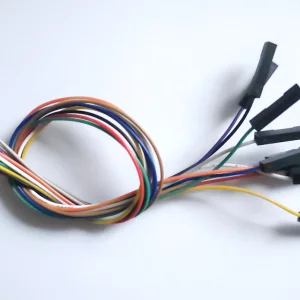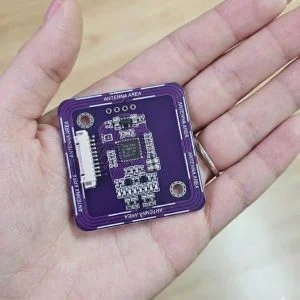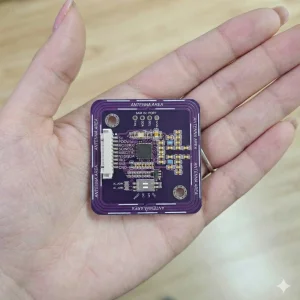
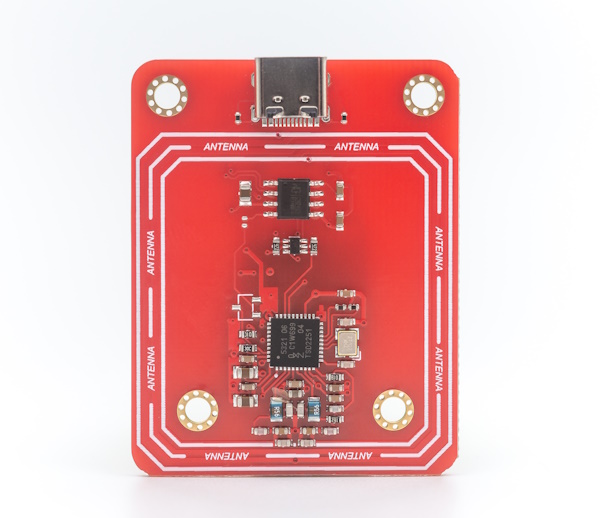
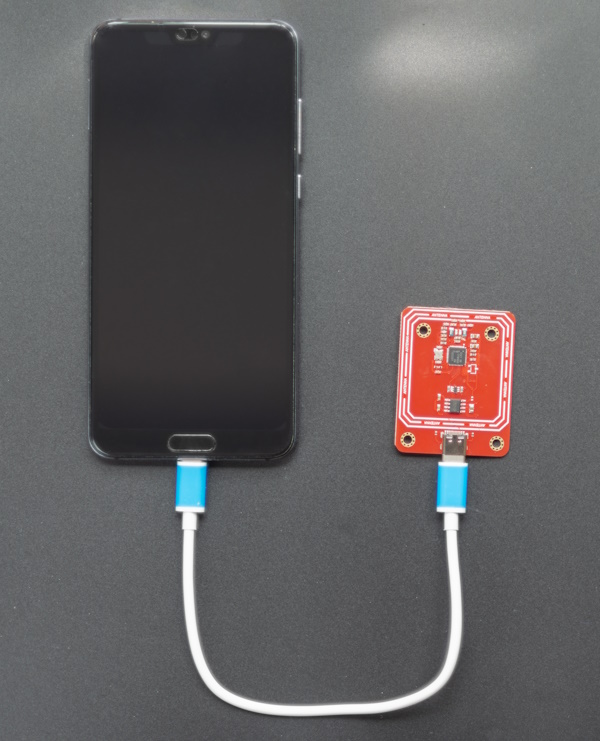
The PN532 NFC USB Module (Type-C) brings NFC functionality to any computer via a standard USB-C connection. No wiring, no breadboard, no drivers to compile — plug it in and start reading and writing NFC tags immediately from Windows, Linux, or macOS.
Who This Module Is For
- Developers who need NFC on a PC without microcontroller wiring
- Testers and engineers running NFC protocol verification on a computer
- Makers building desktop NFC applications or scripts
- Anyone needing a simple plug-and-play NFC reader for Windows or Linux
Core Advantages
- USB-C connector — works with modern laptops and computers
- USB CDC (serial) interface — recognized as a COM/serial port, no custom driver needed
- Built on the proven NXP PN532 chip — broad protocol and library support
- Compatible with libnfc, nfcpy, and other NFC software stacks
- No external power supply required — powered via USB
Key Specifications
| Chip | NXP PN532 |
| Operating Frequency | 13.56 MHz |
| Host Interface | USB-C (CDC / Virtual COM Port) |
| Power Supply | USB (5V, bus-powered) |
| OS Support | Windows, Linux, macOS |
Supported Protocols
- ISO 14443A: MIFARE Classic (1K/4K), Ultralight, DESFire
- ISO 14443B
- FeliCa (JIS X 6319-4)
- ISO 18092 (NFC-IP1 / P2P)
- Android NFC (NDEF)
Compatible Software
- libnfc (Linux/macOS/Windows)
- nfcpy (Python)
- Any software that communicates via serial/CDC with the PN532 HSU protocol
Typical Use Cases
- Desktop NFC tag reader/writer
- NFC card cloning and analysis tools
- Protocol testing and development
- Access control credential enrollment on PC
- NFC-based authentication for desktop applications
Quick Start
- Plug the module into your PC via USB-C cable
- The module appears as a virtual COM port (Windows: Device Manager → Ports; Linux: /dev/ttyUSB0 or /dev/ttyACM0)
- Use libnfc or nfcpy to start scanning tags
- On Windows, install a compatible CDC driver if not recognized automatically
Frequently Asked Questions
- Does it need a special driver?
- On most systems it is recognized as a CDC virtual COM port automatically. Some Windows versions may require a generic CDC driver.
- Can I use it with Python?
- Yes. Use nfcpy or any Python library that supports PN532 over serial.
- Does it work with Android?
- It can work with USB OTG-capable Android devices using appropriate NFC software and USB host mode.
- What is the reading distance?
- Approximately 3–6 cm on standard Mifare cards, depending on tag type and placement.
Compare This Module
Related Documentation and Selection Guides
- PN532 Web Serial Tester — browser-based firmware check and ISO14443A UID test
- PN532 USB Type-C Documentation
- Best NFC Module for Arduino
- PN532 vs PN7160 vs ST25R3916
- USB NFC Reader for PC / Mac / Linux
- PN532 USB vs PN532 V4 Comparison
- How to Read and Write NFC Tags
OEM / Custom Orders
ELECHOUSE provides OEM and ODM services. Learn more or contact us.
RFID & NFC Module Selection Guide
Not sure which module fits your project? See the full comparison with protocol support, interface options, and use case guidance in our RFID & NFC Module Selection Guide.
Linux Setup with libnfc
# Install libnfc
sudo apt-get install libnfc-bin libnfc-dev

# The module appears as /dev/ttyACM0 or /dev/ttyUSB0
# Create or edit /etc/nfc/libnfc.conf:
device.name = "PN532 USB"
device.connstring = "pn532_uart:/dev/ttyACM0:115200"

# Scan for tags
nfc-poll

# Read tag UID
nfc-list
On most Linux distributions, the module is recognized automatically as a USB CDC device. No kernel module compilation needed.
Python Example with nfcpy
import nfc

def on_connect(tag):
    print(f"Tag detected: {tag}")
    print(f"UID: {tag.identifier.hex().upper()}")
    return True

with nfc.ContactlessFrontend("usb") as clf:
    print("Waiting for NFC tag — tap now...")
    clf.connect(rdwr={"on-connect": on_connect})
Install nfcpy with pip install nfcpy. On Linux, you may need to add a udev rule to allow non-root USB access:
# /etc/udev/rules.d/nfcdev.rules
SUBSYSTEM=="usb", ACTION=="add", ATTRS{idVendor}=="04cc", MODE="0666", GROUP="plugdev"
Windows Setup
On Windows 10/11, the module is detected as a USB Serial Device (COM port) automatically. If not:
- Open Device Manager → look for “Unknown Device” or “USB Serial Device”
- Install the CP210x or CH340 CDC driver if the port is not assigned
- Note the COM port number (e.g. COM4)
- Use libnfc with connstring
pn532_uart:COM4:115200, or use nfcpy withusb:COM4
macOS Setup
# Install libnfc via Homebrew
brew install libnfc

# Module appears as /dev/tty.usbmodemXXXX or /dev/tty.usbserial-XXXX
# Edit /usr/local/etc/nfc/libnfc.conf:
device.connstring = "pn532_uart:/dev/tty.usbmodem101:115200"

nfc-list
Supported Card Types
| Card / Tag | Standard | Read UID | Read/Write Data |
|---|---|---|---|
| Mifare Classic 1K / 4K | ISO 14443A | ✓ | ✓ (with auth key) |
| Mifare Ultralight | ISO 14443A | ✓ | ✓ |
| NTAG213 / 215 / 216 | ISO 14443A | ✓ | ✓ (NDEF) |
| Mifare DESFire EV1/EV2 | ISO 14443A | ✓ | ✓ (with crypto) |
| FeliCa (Suica, Octopus) | ISO 18092 | ✓ | Limited |
| ISO 14443B | ISO 14443B | ✓ | Limited |
PN532 USB vs PN532 V4 — Quick Comparison
| PN532 USB Type-C | PN532 V4 | |
|---|---|---|
| Host connection | USB-C (plug into PC) | I2C / SPI / UART (wire to MCU) |
| Best for | PC, Mac, Linux desktop | Arduino, ESP32, Raspberry Pi |
| Driver needed | No (CDC auto-detected) | No (library-based) |
| Power | USB bus power | 3.3–5V from host board |
| Chip | NXP PN532 | NXP PN532 |
| Protocol support | Same | Same |